

Why Graphic Designers Still Matter in the Age of AI
Introduction
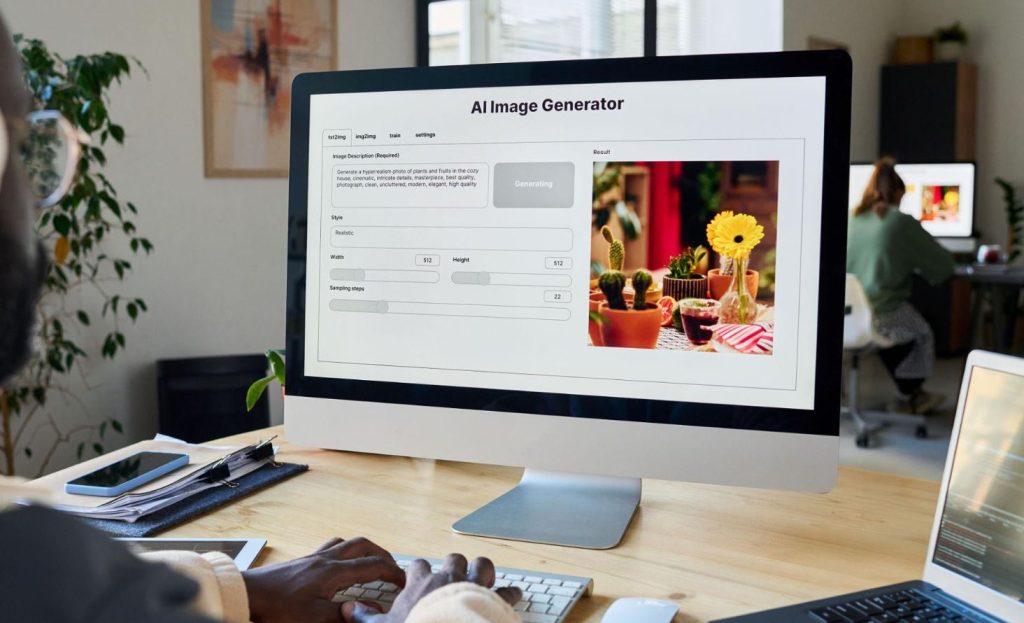
Artificial Intelligence (AI) has transformed the way businesses create visual content. Today, a business owner can generate product labels, packaging concepts, logos, presentations, social media graphics, and marketing materials simply by typing a few prompts into an AI graphic design tool.
At first glance, it seems like a dream solution—fast, affordable, and accessible. However, many businesses discover an important reality when it’s time to actually print, publish, or edit those designs.
Recently, one of our clients excitedly shared product labels generated using an AI design platform. The labels looked professional and visually appealing on-screen, and she was ready to send them directly to a local printer.
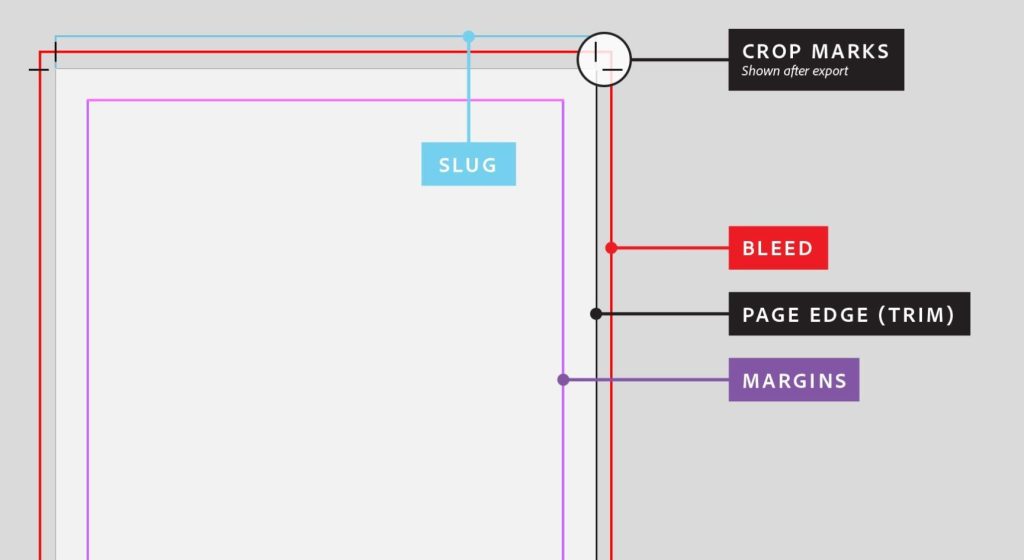
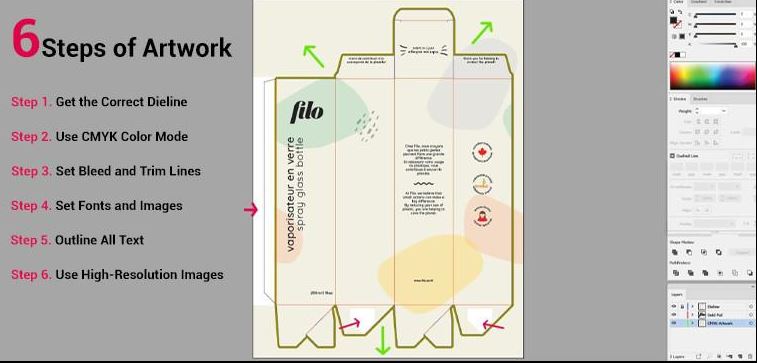
There was just one challenge. The printer requested bleed margins, crop marks, CMYK color settings, and a print-ready PDF file. While the AI had created an attractive design, it hadn’t prepared the artwork according to commercial printing requirements.
In another case, a client used AI to create a stunning presentation for a business pitch. The slides looked modern and engaging, but when he attempted to edit the content, he discovered that the files were either locked, exported as images, or unavailable in a format compatible with his presentation software.
In both situations, AI successfully generated the creative concept—but professional graphic design expertise was still needed to make the files usable.
This highlights an important truth:
AI can generate designs. Graphic designers make them printable, editable, scalable, and production-ready.
The Rise of AI Graphic Design Tools
The popularity of AI-powered design software has grown significantly in recent years. Businesses frequently search online for:
- AI graphic design tools
- AI logo generator
- AI product label design
- AI packaging design software
- AI presentation maker
- AI flyer generator
- AI branding tools
- AI marketing design software
- AI image generator
- AI poster design tools
These platforms can generate visually impressive concepts within seconds, helping businesses explore multiple creative directions quickly.
For startups and small businesses with limited budgets, AI offers an efficient way to generate ideas and test visual concepts before investing in professional design services.
However, creating a design and producing a design are two very different processes.
Learn More: Graphic design services

Why AI-Generated Designs Often Hit a Wall
Many business owners assume that once AI creates a design, it is ready for printing, publishing, or production.
Unfortunately, that is rarely the case.
The Product Label Problem
Let’s revisit our first client.
Her AI-generated label looked fantastic on a computer screen. However, commercial printing requires much more than an attractive image.
Professional printing often requires:
- Correct dimensions
- Bleed areas
- Crop marks
- CMYK color profiles
- High-resolution artwork
- Vector graphics
- Print-ready PDF files
Without these specifications:
- Colors may print inaccurately
- Text may appear blurry
- Important elements may be cut off
- Packaging may fail production requirements
The AI generated the idea.
A professional graphic designer transformed it into a file that a commercial printer could confidently use.
The Presentation Challenge
The second client encountered another common issue.
Many AI presentation tools prioritize visual appearance over functionality. While the designs may look impressive, users often discover limitations such as:
- Limited editing capabilities
- Incompatible file formats
- Missing fonts
- Low-resolution exports
- Difficulty updating content
A professional graphic designer can rebuild the presentation in:
- Microsoft PowerPoint
- Google Slides
- Apple Keynote
This ensures the presentation remains editable, professional, and easy to update in the future.
AI Is a Creative Assistant, Not a Production Expert
Artificial Intelligence excels at generating ideas and accelerating creative exploration.
However, AI does not fully understand:
- Commercial printing requirements
- Packaging regulations
- Brand consistency standards
- Typography principles
- Production workflows
- Printer specifications
- File preparation processes
These areas still require human expertise.
Think of AI as the architect who sketches the vision.
The graphic designer is the engineer who ensures the design can actually be built, produced, and delivered successfully.
Important: Branding Consultancy Services
How Graphic Designers Add Value After AI
Many people assume AI and graphic designers are competing against each other.
In reality, the strongest projects combine both.
1. Refining AI Concepts
AI-generated designs often contain subtle design flaws, including:
- Inconsistent spacing
- Poor alignment
- Weak typography
- Distorted proportions
- Readability issues
A professional designer identifies and corrects these issues while preserving the original creative concept.
2. Preparing Print-Ready Files
When artwork is sent to a printer, every technical requirement must be met.
Graphic designers handle:
- RGB to CMYK color conversion
- Bleed and trim setup
- High-resolution exports
- Font embedding
- Printer-approved file formats
These details determine whether a project prints perfectly or becomes an expensive reprint.
3. Creating Editable Brand Assets
Businesses rarely need a design only once.
They need assets that can be updated, resized, reused, and adapted for future marketing campaigns.
Professional designers provide:
- Editable logo files
- Brand guideline documents
- Marketing templates
- Packaging systems
- Presentation templates
- Social media graphics
These assets continue delivering value long after the original project is complete.
Why Local Printers Still Depend on Graphic Designers
Printers are experts in production, but they rely on receiving correctly prepared artwork.
When files arrive with incorrect specifications, printers must:
- Reject the artwork
- Request revisions
- Charge additional setup fees
- Delay production timelines
Graphic designers serve as the bridge between AI-generated concepts and commercial printing companies.
They understand:
- Label printing requirements
- Packaging production standards
- Large-format printing specifications
- Commercial print workflows
- Finishing and die-cut requirements
This collaboration helps businesses avoid unnecessary costs, delays, and reprints.
The Smartest Approach: AI + Human Expertise
The most successful businesses are not choosing between AI and graphic designers.
They are leveraging both.
Step 1: Use AI for Inspiration
Generate multiple design concepts quickly and cost-effectively.
Step 2: Select the Best Concept
Choose the direction that best aligns with your brand objectives.
Step 3: Engage a Graphic Designer
Refine the concept and prepare professional production files.
Step 4: Collaborate with Your Printer
Verify all technical specifications before production begins.
Step 5: Produce with Confidence
Print, publish, and distribute your materials knowing they meet professional standards.
The Future of Design Is Collaboration
AI has undoubtedly changed the graphic design industry.
Tasks that once took hours can now be completed in minutes.
But as our clients discovered, generating a design is only half the journey.
The real challenge begins when that design must become:
- A product label on a retail shelf
- A presentation in a boardroom
- A package delivered to customers
- A marketing campaign representing your brand
AI can generate the vision. Graphic designers make that vision work in the real world.
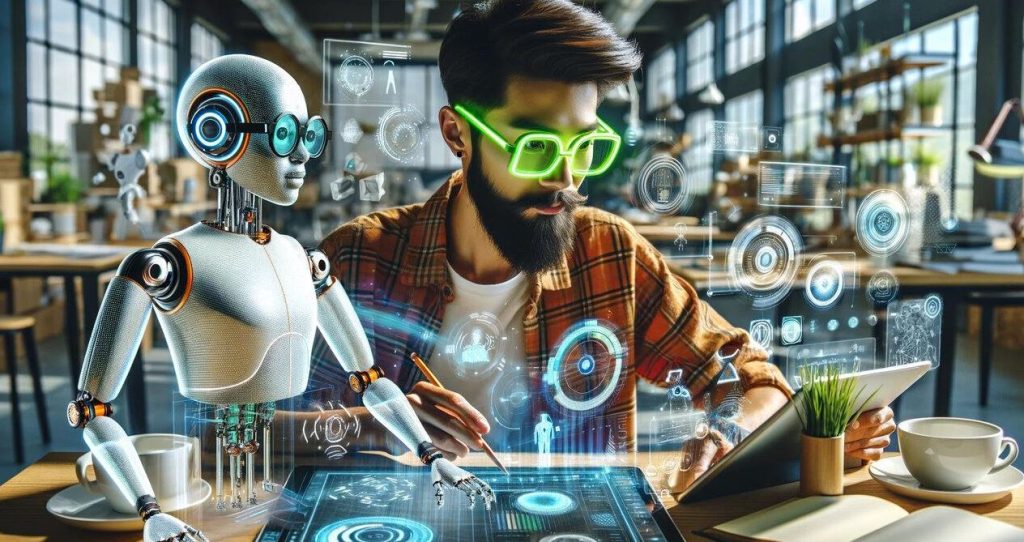
The future of design is not AI replacing graphic designers. It is AI empowering designers to work faster, smarter, and more creatively while providing the technical expertise businesses continue to depend on.
Because when it’s time to print, produce, and present, human expertise remains the difference between a concept and a successful final product.
Recently added: Digital Signage
Need Help Turning AI Designs into Print-Ready Files?
Whether you’ve created a product label, packaging design, logo, presentation, flyer, or marketing artwork using AI, our experienced graphic designers can help prepare it for professional production.
Our Services Include:
- Graphic Design
- Product Label Design
- Packaging Design
- Print File Preparation
- Brand Identity Design
- Presentation Design
- Large Format Printing Artwork
- Business Branding Consultancy
Contact Design Hub Ltd today and transform your AI-generated concepts into professional, production-ready assets.
Frequently Asked Questions (FAQs)
Can AI create print-ready product labels?
AI can generate label concepts, but professional graphic designers are usually required to prepare files with proper dimensions, color settings, bleed areas, and printer specifications.
Why do printers reject AI-generated designs?
Most AI-generated files lack correct resolution, CMYK color profiles, bleed settings, crop marks, or editable formats required for commercial printing.
What file formats do printers prefer?
Commercial printers typically prefer PDF, AI, EPS, SVG, and other editable vector formats prepared according to their specifications.
Can AI replace graphic designers?
AI helps accelerate idea generation and design exploration, but graphic designers provide technical expertise, brand consistency, and production-ready outputs.
What are the best AI graphic design tools?
Popular AI design platforms include Canva AI, Adobe Firefly, Midjourney, Microsoft Designer, Designs.ai, and Looka.
Should I hire a graphic designer after using AI?
Yes. A graphic designer can refine AI-generated concepts, ensure print compatibility, and prepare professional files for production.
Can AI-generated presentations be edited in PowerPoint?
Not always. Some AI tools export slides as images or proprietary formats that require redesigning or conversion before full PowerPoint compatibility.
What is a print-ready design?
A print-ready design contains the correct dimensions, resolution, color mode, bleed settings, fonts, and file format required by a commercial printer.